Save recipes, plan meals, shop from the plan.
Paste a link, a recipe's text or a screenshot. Put it in the week, then add the plan to the shopping list.
Works in the browser, on a computer or a phone.

One week, start to finish
Decide what to cook
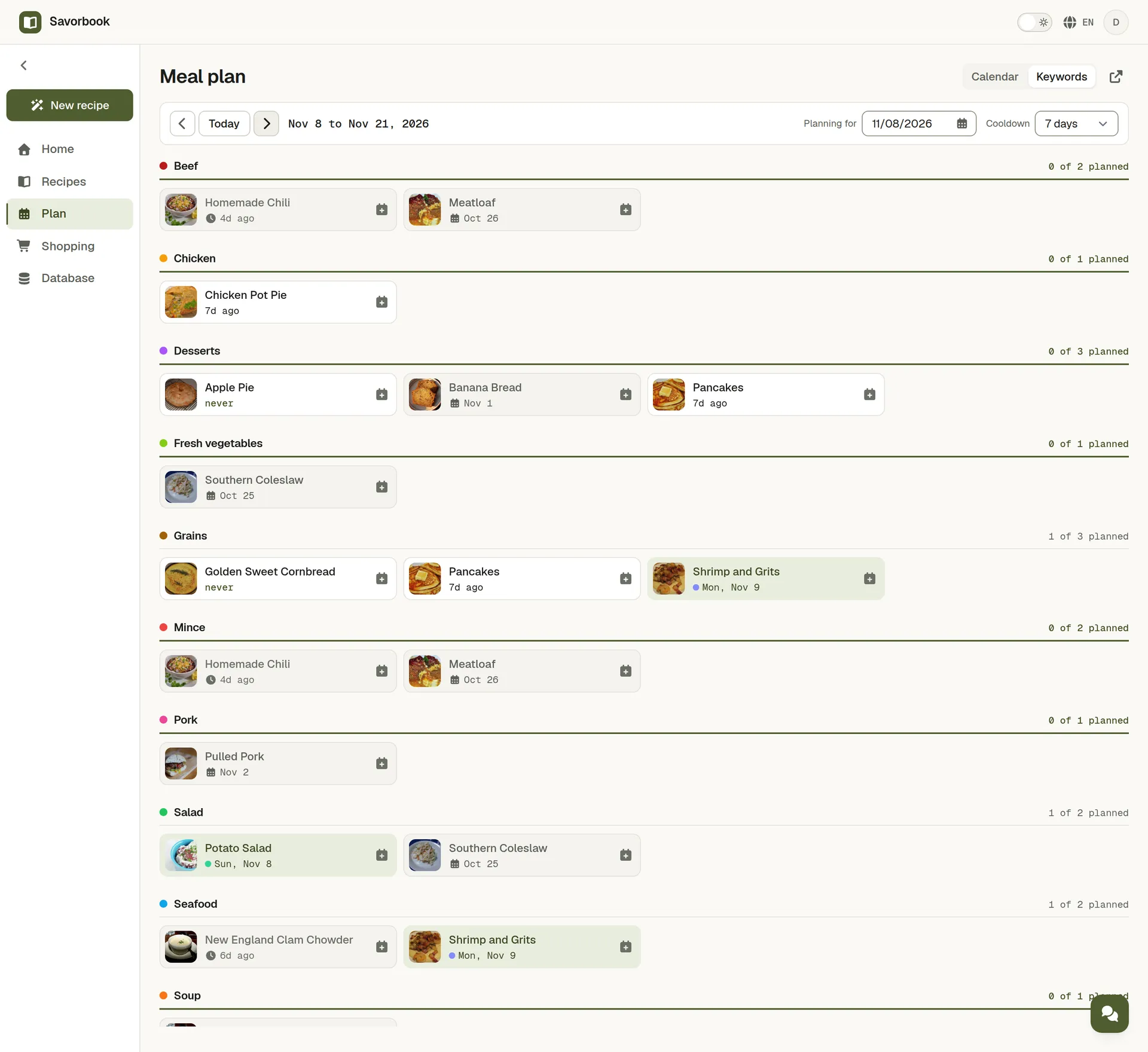
Open the keyword board and look at the meals you actually make. Each one says how long it has been, so the week stops repeating itself without you noticing.
Fill the week
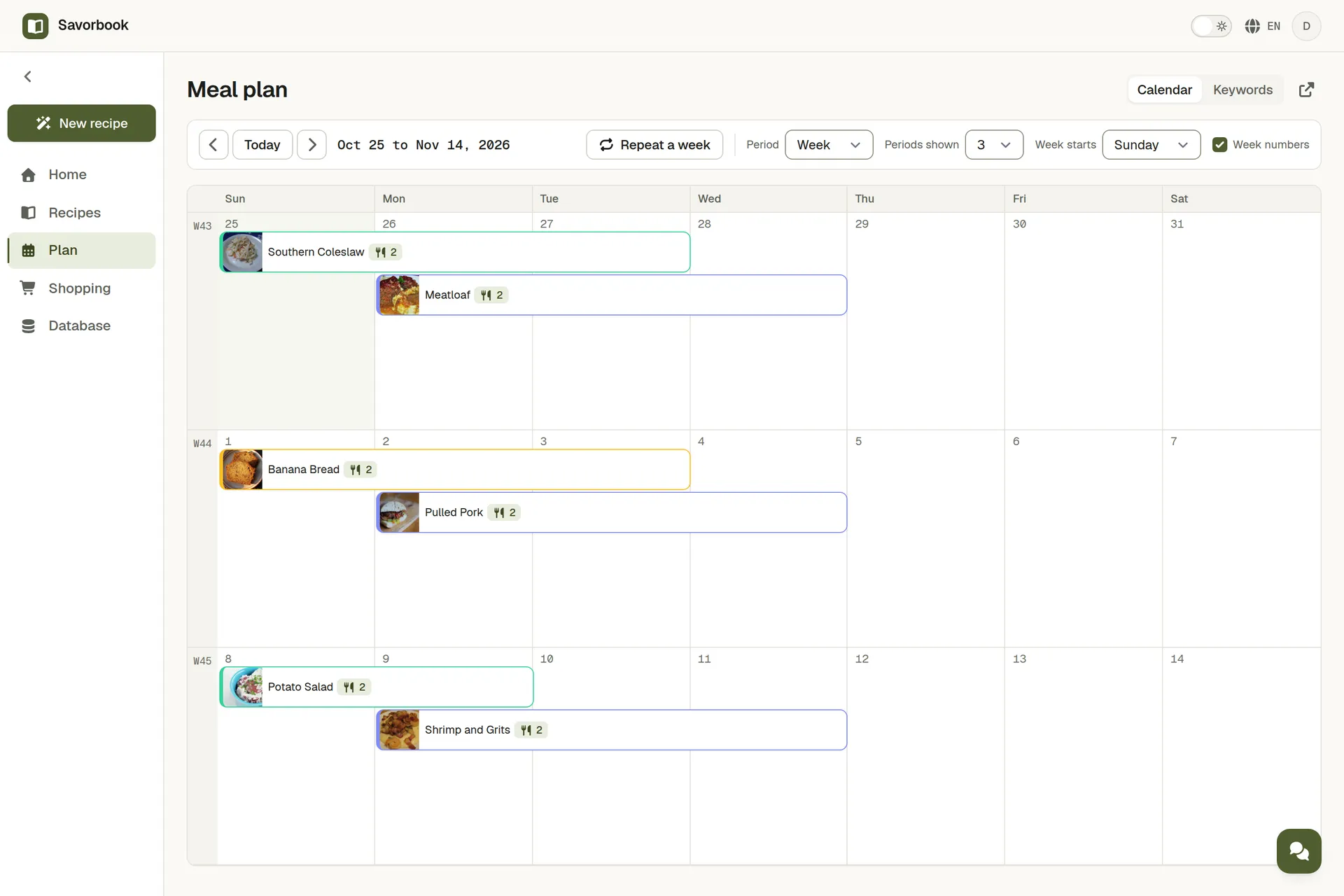
Drag meals onto the calendar, a week or a month at a time. The calendar and the board are two views of one plan, so a change in either shows up in the other. A week that worked goes onto the next one with Repeat a week.
Add the plan to the shopping list
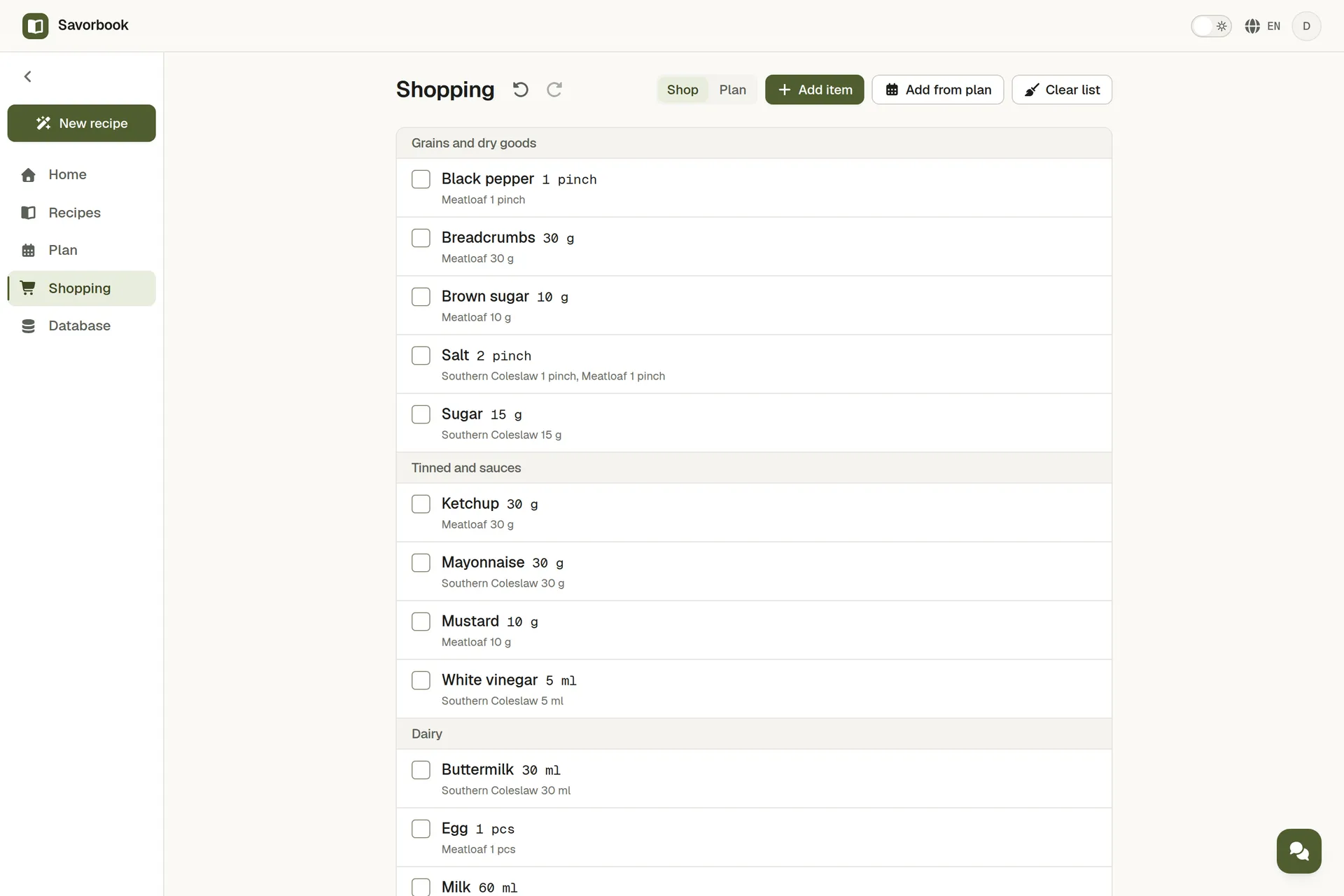
Press Add from plan and the ingredients of the meals you pick land on one list, grouped by aisle and summed across recipes. Coffee, washing up liquid and anything no recipe knows about go on the same list by hand.
Shop together, on one live list
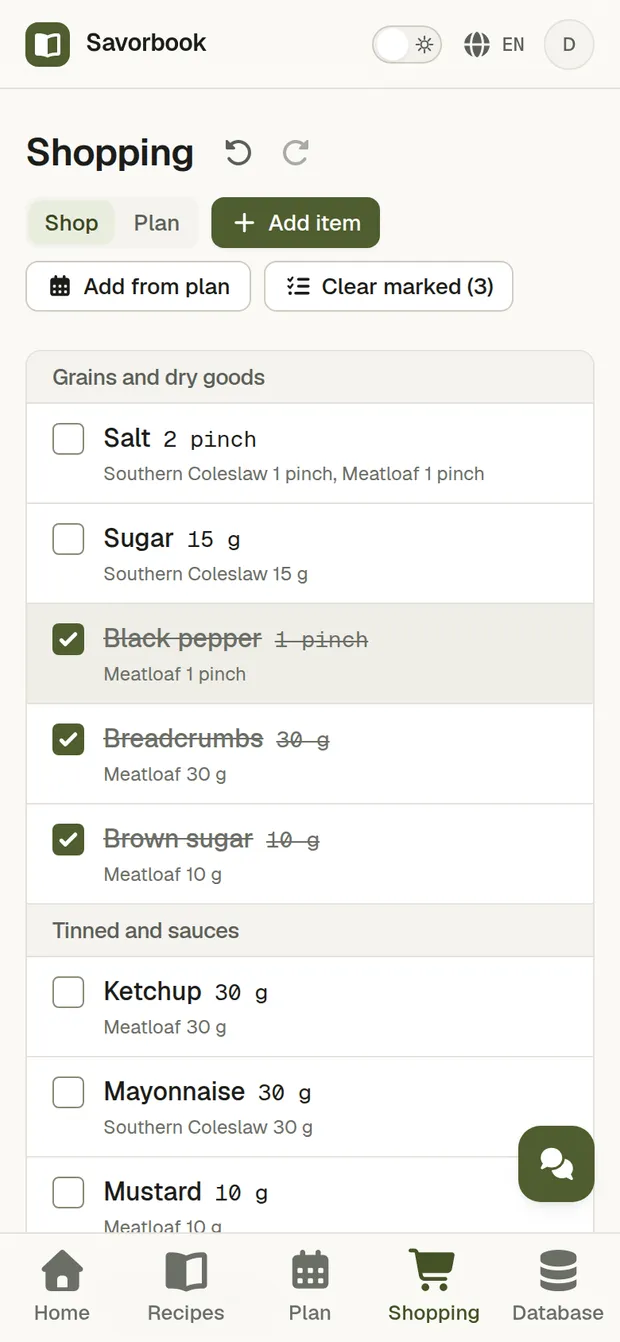
Switch to Shop mode and open the same list on a second phone. Tick something off and it updates on the other straight away, so nobody overwrites anybody.
Cook what you planned
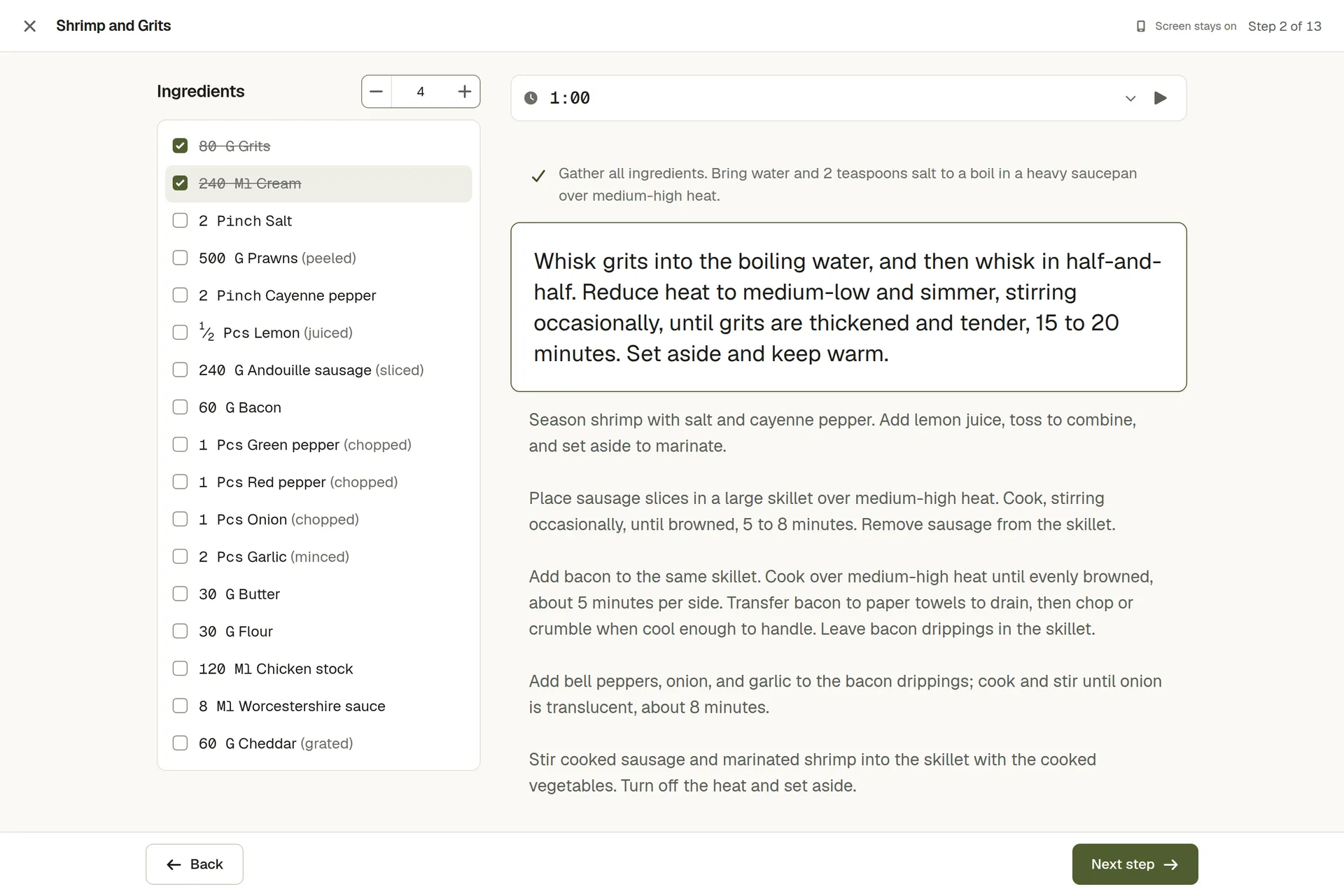
Open today's meal from the plan, set the servings you are cooking, and the amounts follow. Start cooking shows the method one step at a time, with the ingredients to cross off beside it.


Recipes stuck in bookmarks and screenshots?
Paste a link and the recipe form fills itself with the photo, ingredients, steps, servings and cooking times. For a cookbook page, a post or a recipe a friend sent you, paste the text or add screenshots and AI fills the same form. You check it and save.
- From 600+ recipe sites
- Ingredients are matched to the foods and units you already have, even when the words come in a different order, so two recipes with onions still ask for onions once on the list.
- From text or screenshots
- Add up to four screenshots or paste the recipe, and say what to change, such as yogurt instead of sour cream. AI writes the amounts in the units you already use.

What is underneath
- It remembers what you cooked
- Every recipe carries the day it was last planned, so the board holds the ones resting apart from the ones ready again, against a gap you set from three days to four weeks.
- Search instead of scrolling
- Search the library by name or narrow it by keyword. Every recipe you have written down sits in one place rather than scattered through notes, so planning two weeks costs no more hunting than planning one.
- A database you define
- Foods, units, categories and keywords are all defined by hand. No fixed list decides what you cook with.
- Instructions that read well
- Write in a real editor with headings, lists and emphasis. Everything is stored as markdown, so the text outlives the editor.
- Nutrition as the recipe states it
- When a source lists calories, protein, fat and carbs, the recipe keeps them, per serving or per 100 g. SavorBook shows what was written and adds no estimate of its own.
- Sent to Telegram
- Push a recipe or the whole shopping list to Telegram, and cook or shop from a phone without opening a browser.
- Five languages
- English, Spanish, Portuguese, Russian and Chinese, throughout the app rather than only in the menus.
- Light and dark
- A choice you make rather than a guess from the system setting, and it holds wherever you sign in.
Take the data out whenever you want
Export the whole account as one JSON file: recipes, plans, lists, foods, units, all of it. Import it back, or take it somewhere else. Nothing is held back and nothing has to be asked for.